
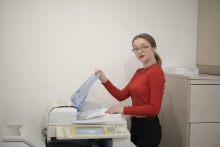
Large printers/copiers are available around campus buildings, to locate the nearest copier, click here. As part of our commitment to fairness and environmental responsibility, we have implemented a printing quota system that is reloaded each semester, ensuring equitable access for all students. Student printing quota is loaded every semester after the drop/add period.
Service Description
PRINTING MANAGEMENT SYSTEM: PAPERCUT
Our printing services are managed through Papercut, a robust printing management system designed to streamline your printing needs while promoting sustainability.
CENTRALIZED PRINTING QUEUE: AUPRINT
To enhance efficiency, we have established a centralized printing queue called AUPrint. All printing requests pass through this system, contributing to a more organized and user-friendly printing experience.
BADGE-BASED RELEASE SYSTEM
To facilitate secure and user-friendly printing, we utilize a badge-based release system. The first time you use printing services, you will need to associate your AUP badge with your printing account. Clear instructions are posted next to every printer on campus, and you can find detailed guidance here .
ON-CAMPUS PRINTING OPTIONS
When on campus and using an AUP computer, you can conveniently print directly from the computer to the AUPrint queue and release it at the printer using your badge.
PRINTING FROM YOUR PERSONAL DEVICES
At AUP, authenticated users can print using Web Print or Mobility Print. Both services are accessible from devices that meet the AUP BYOD standards.
-
Web Print is available through PaperCut MF and allows easy printing directly from your browser.
-
Mobility Print is a new, enhanced printing solution designed to make printing even simpler. Currently in its experimental phase, it supports a limited number of devices.
Mobility Print enables students, faculty, and staff to print seamlessly from personal devices such as smartphones, tablets, laptops, and Chromebooks. It supports multiple operating systems.
Documentation